Your order
Your BoF Guide
Loading your order…
Test order. Made in test mode; no real money moved.
Add it in game
- 1
Have the free BoF Guide installed
Get it from CurseForge or Wago, or update it to the newest version if you already have it. Your purchase adds to it; there's no second addon.
- 2
Copy your guide key
Click Copy under your key below. One key opens everything you bought.
Copy your guide code
Click Copy under your code below. If you'd rather keep it, click Download, open the file and copy everything in it.
- 3
Open "Add your purchased guide"
In the game, click the seal at the top left of the guide window, or right-click the guide's seal on your minimap, and choose Add your purchased guide. It's also in the game's Settings under Bind on Forever Guide, and on the guide's level-30 card. No chat command needed.
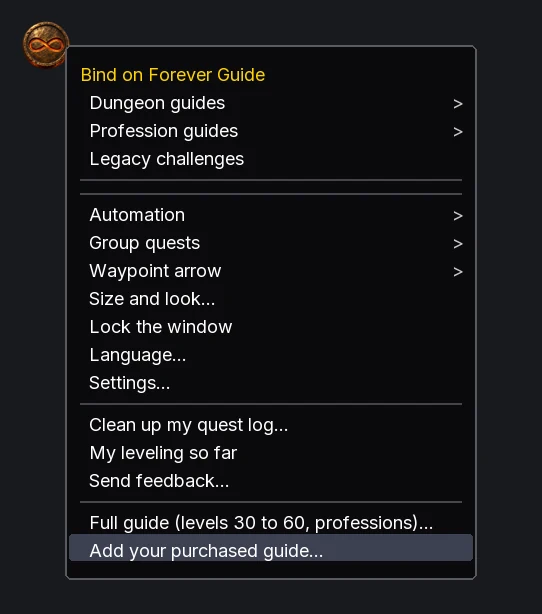
- 4
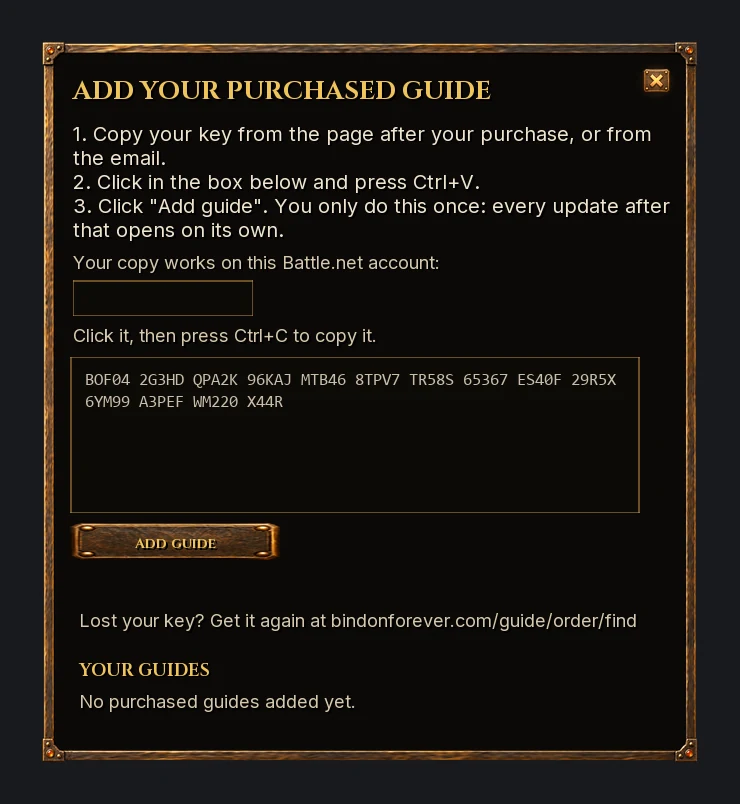
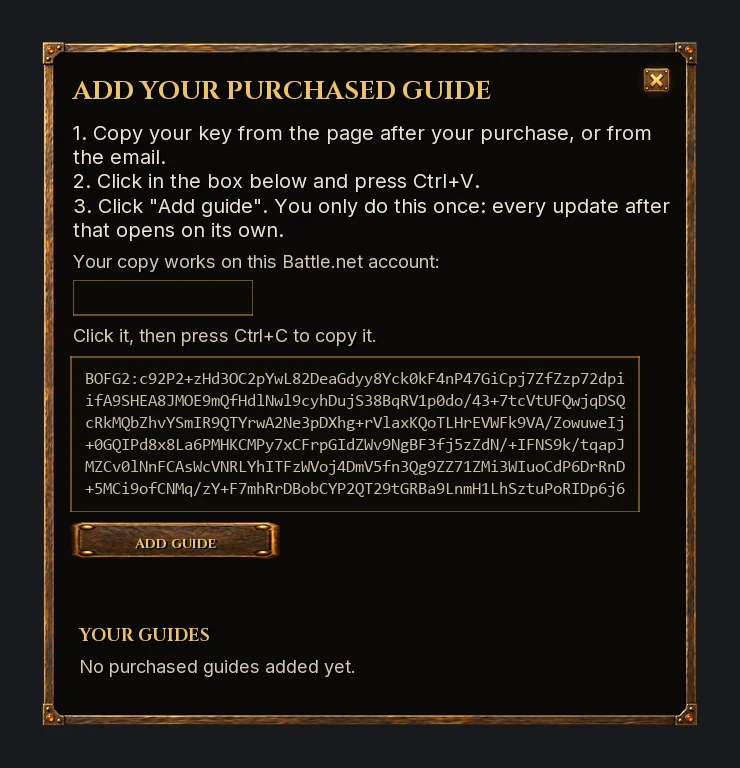
Paste, then click "Add guide"
Click in the box, press Ctrl+V, then click Add guide. The guide lists what your key opened under "Your guides", and your road goes on past level 30. You only do this once: when the BoF Guide updates on CurseForge or Wago, your guides update with it.
Paste, then click "Add guide"
Click in the box, press Ctrl+V, then click Add guide. A long code takes a second. The guide confirms it and lists it under "Your guides", and your road goes on past level 30.
Your guide key
Your guide codes
Your order has more than one code. Add each one the same way, one at a time.
Playing an older version of the BoF Guide? Use these codes instead
Versions from before the key take one long code per guide. Update the guide and use the key above, or add these codes the same way. Codes don't update on their own.
Your road from 30 to 60 and its dungeon guides are built on Classic's quests and dungeons. Forever's new quests, and any new dungeons above 30, join it zone by zone after launch, as each zone is checked on the live game. Every update comes with the guide's own updates, at no extra cost.
Your road from 30 to 60 and its dungeon guides are built on Classic's quests and dungeons. Forever's new quests, and any new dungeons above 30, join it zone by zone after launch, as each zone is checked on the live game. Every update appears on your order page, at no extra cost.
Bookmark your order page: . It always has your key, and it's linked in your email.
Bookmark your order page: . It always has your current codes, including updates we release later, and it's linked in your email.
Your order page, which always has your key, is linked in your email.
Your order page, which always has your current codes, is linked in your email.
If something doesn't work
The guide says the key is damaged
Part of the key was left behind or mistyped. Use the Copy button instead of selecting the text by hand, then paste again. Spaces and dashes don't matter.
The guide says the key is for another account
Your key opens only on the Battle.net account it was made for, shown above. If you play on another account or your BattleTag has changed, write to hello@bindonforever.com with your order and we'll send a new key.
The guide says my key is out of date
We've given every buyer a new key. Copy the key on this page and add it again the same way. Nothing else changes.
The guide says the code is incomplete or damaged
Part of the code was left behind. Use the Copy button instead of selecting the text by hand, or download the file and copy all of it, then paste again.
The guide says the code is for another account
Each code opens only on the Battle.net account it was made for, shown above. If you play on another account or your BattleTag has changed, write to hello@bindonforever.com with your order and we'll send a new code.
I can't find the seal or the guide window
Check that the BoF Guide is ticked in the AddOns list on the character screen. In the game, type /bofg to open the window, or open Settings, then AddOns, then Bind on Forever Guide, and use Add your purchased guide there.
How do I get updates?
Update the BoF Guide on CurseForge or Wago, as you would any addon. Your key opens every update on its own, so there's nothing to add again. Updates are free for as long as Forever runs.
How do I get updates?
When we release new routes, come back to your order page and add the new code the same way. It replaces the old one. Updates are free for as long as Forever runs.
I lost the email or this page's link
Go to Find your order, enter the email you bought with, and we'll send the link and your key again.
Can I get a refund?
Sales are final once your key is issued. If a pack doesn't work as described, write to hello@bindonforever.com. Orders from before November 1, 2026 keep their 30 days. See refunds.
A question? Write to hello@bindonforever.com. We answer every message.